
See exactly how IVKits works
However your nurses get stocked, to a clean audit trail. No demo required, walk through it yourself.
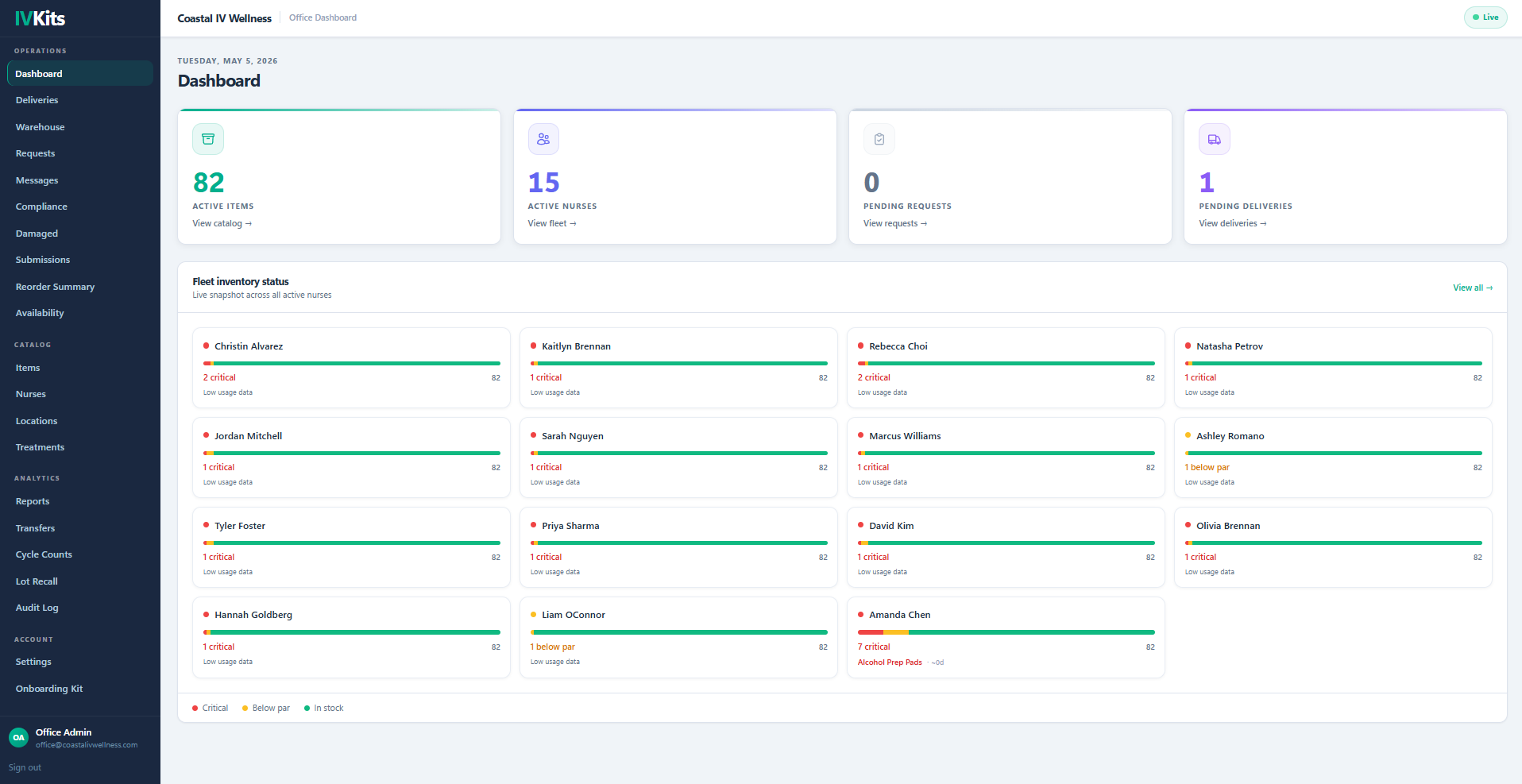
See Every Nurse's Inventory at a Glance
The moment you open IVKits, you see every nurse on your team — current stock status, color-coded by Critical, Below Par, or Stocked. No calls, no texts. You already know.
- Live fleet view updates every time a nurse logs or receives inventory
- Color-coded status makes problems visible in seconds
- Click any nurse to see her full item list, lot numbers, and expiry dates
Two Ways Stock Reaches Your Nurses
IVKits works with both inventory models. Scroll or swipe to see both paths — they converge at verification.
Office Builds & Ships
Your office pulls items from warehouse inventory, builds a delivery kit, and ships to the nurse.
- •Reorder summary guides packing
- •FIFO pulls oldest lots first
- •Nurse receives & confirms items
Shipped Direct to Nurses
Your vendors ship supplies straight to each nurse. The nurse logs what arrived from your central item list, and the office verifies it against the vendor invoice.
- •Vendor drop-ships to the nurse
- •Nurse logs receipt from your item list
- •Office verifies against the invoice
Nurse Logs a Treatment
When a nurse completes a patient visit, they select the treatment template. IVKits automatically deducts the exact items used — no manual counting, no guesswork.
- Library of common IV protocols (Myers Cocktail, NAD+, Hangover IV, and more)
- FIFO ensures the soonest-to-expire lots are used first
- First use of a vial starts the 28-day post-puncture expiry clock

Low Stock Alert Fires Automatically
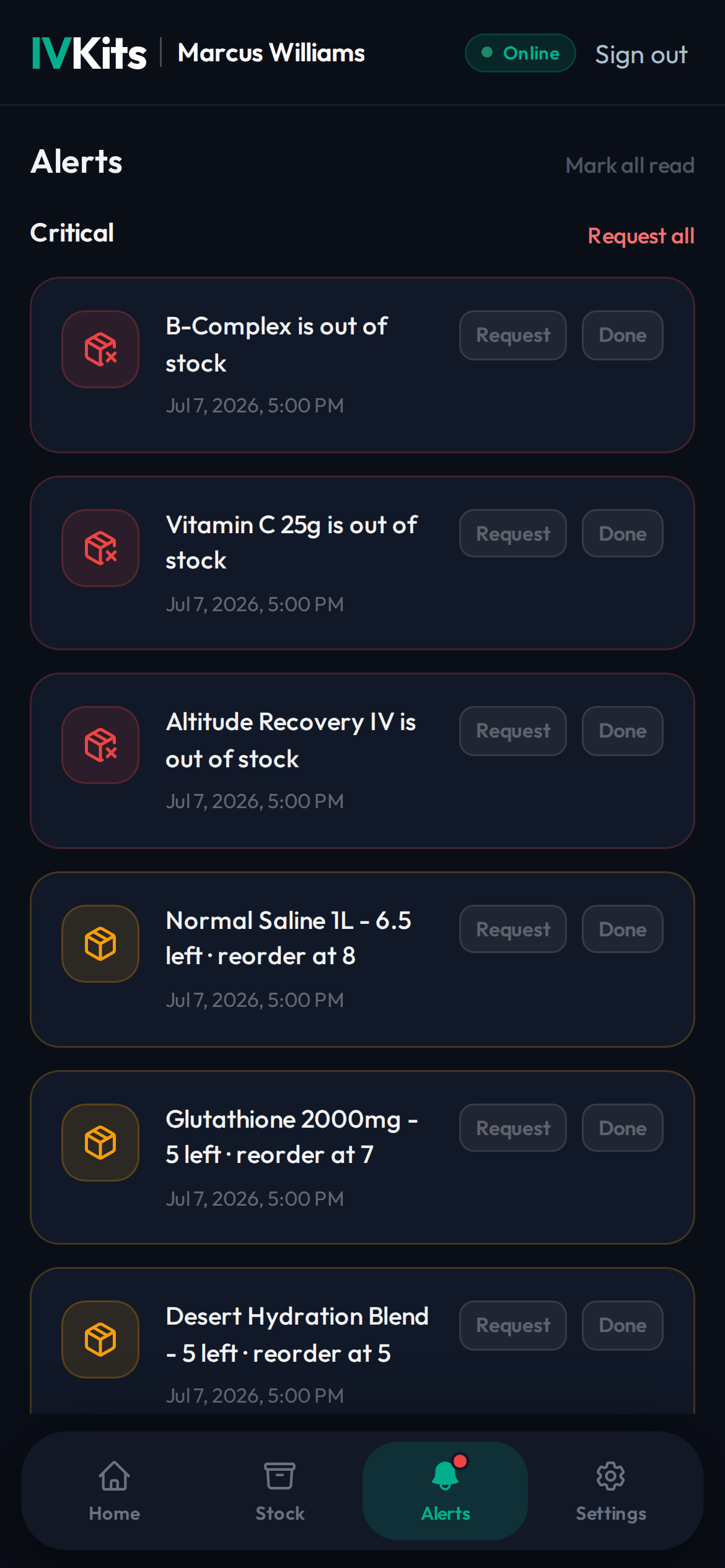
IVKits watches every nurse's inventory in real time. When stock drops to the reorder threshold, the nurse gets an alert and can request more with one tap.
- Hourly scan checks qty, expiry, and stockout across all nurses
- Alerts fire via push notification, email, and in-app banner
- Same alert type within 24 hours is deduplicated — no spam
Nurse Submits a Restock Request in Under a Minute
When a nurse needs more supplies, she opens IVKits, taps Restock Requests, and submits. The office sees it instantly and can approve with one click — which kicks off a delivery from your warehouse, or a new direct-ship order to the nurse.
- No texts, no calls — request submitted directly through the app
- Office admins are alerted the moment a request comes in
- Approve triggers resupply: pre-filled whether warehouse ship or vendor direct-ship

Activity Compliance and Audit Trail, Always Ready
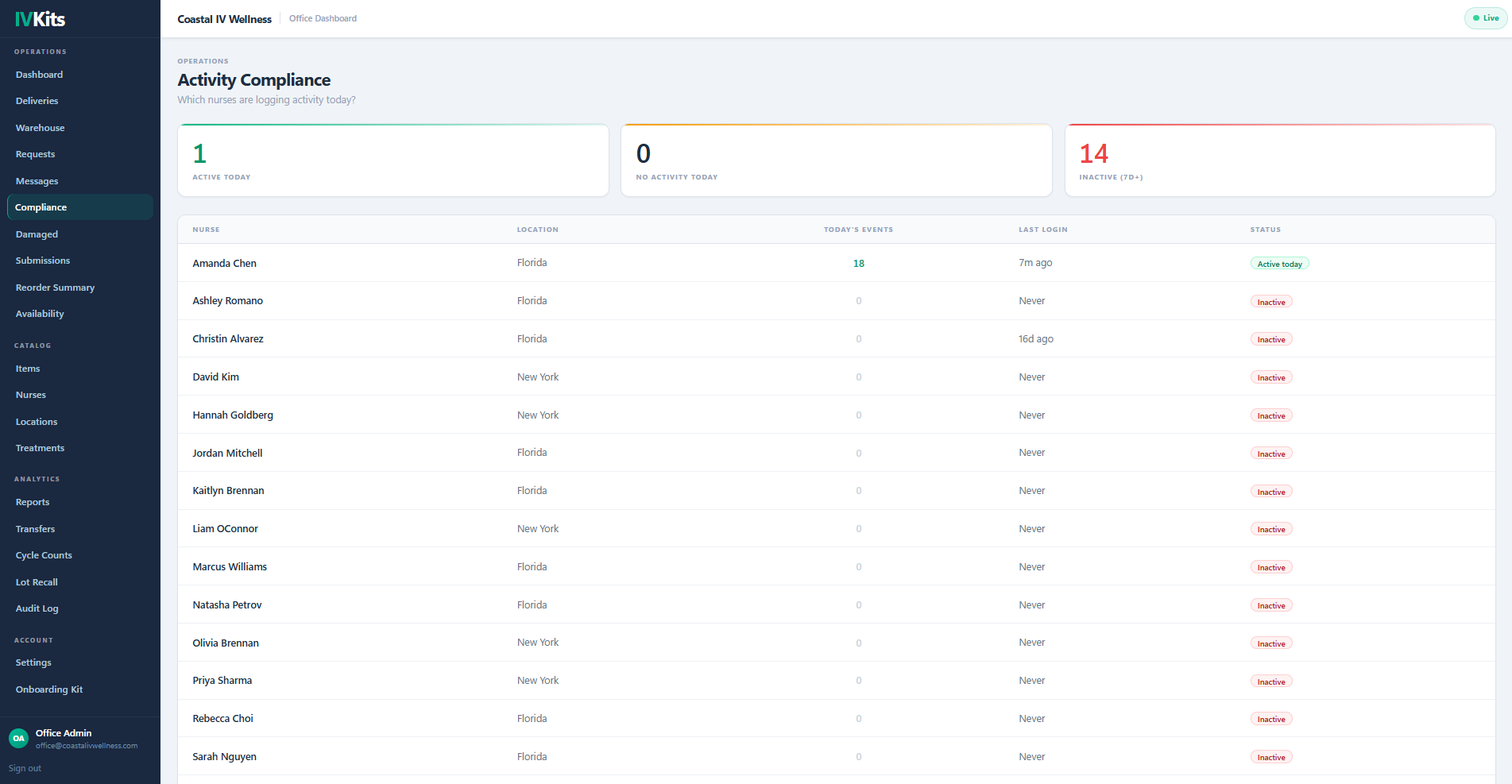
Every action in IVKits is immutably logged. The compliance view shows which nurses are active today and which have gone quiet — so you can follow up before it becomes a problem. Pull a full audit report for any date range in seconds.
- See exactly which nurses logged activity today vs. inactive 7+ days
- Every event recorded: deliveries, treatments, restocks, snapshots, adjustments
- Nurses cannot access or modify the audit log
That's the whole workflow
From warehouse receipt to compliance report, every step tracked, every nurse accountable, no spreadsheets.
Book a Call View Pricing